
GTA 6 PS5 crash error CE-108255-1
CE-108255-1 means a PS5 game or app encountered an error. Sony’s first step is to update the game. Players reported this code while playing GTA VI at launch. The code alone does not identify the cause or tell you whether a save is damaged.
On this page
Update GTA VI and check the result
Highlight GTA VI from the PS5 home screen. Press Options and select Check for Update. Let the installation finish, restart the game and note whether the same action still produces the same code. If the PS5 asks for a system update, use Settings, System, System Software, then System Software Update and Settings.
If the download itself is stuck, use the queue troubleshooting steps. A stalled download and a crash while playing have different remedies.
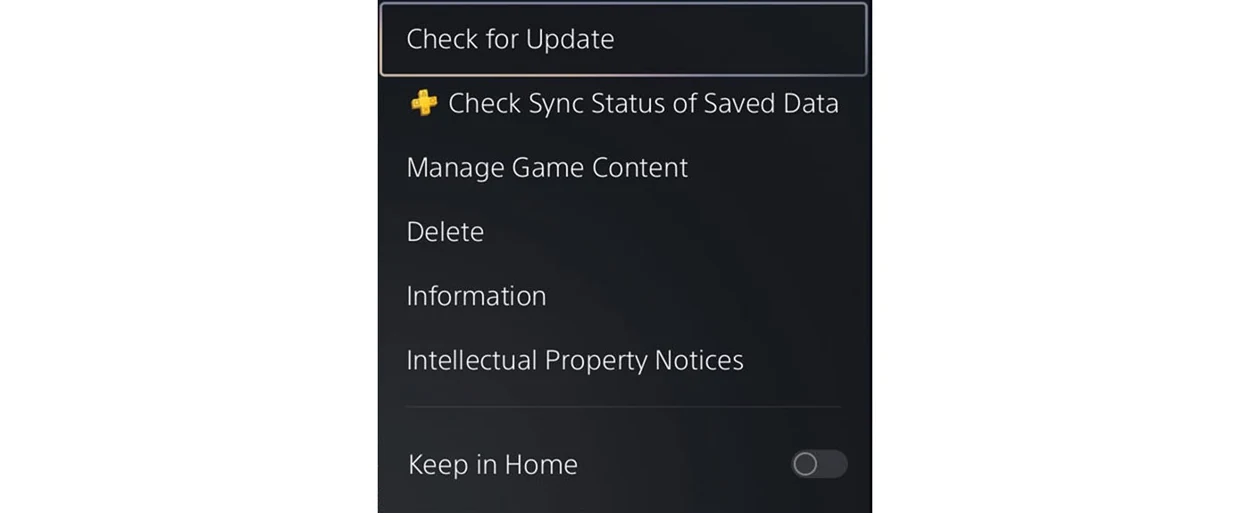
Check the PS5 game update
- Open the highlighted game’s menuPressPS5Options
- Choose Check for UpdatePressPS5Cross
Keep the reproduction details
Record the exact digits, PS5 model, game version and system software version. Note whether the crash follows the same cutscene or action and whether you can launch another installed game. If one session still works, keep its save. Sony’s CE-108255-1 instructions do not call for deleting saved progress.
Where to report a repeat crash
Sony directs players with a persistent CE-108255-1 to PlayStation Repairs. Rockstar’s GTA VI support page also accepts gameplay reports. If the console powers off or multiple games crash, tell Sony that specifically. For a crash at the same point in GTA VI, give Rockstar the short sequence of steps and the version you checked.
What the launch reports establish
Dexerto reported that several players saw CE-108255-1 after launch. As of November 21, Rockstar hadn’t identified a common cause.