
Back up a GTA 6 save on PS5 or Xbox
On PS5, PlayStation Plus members can check whether their GTA VI save has reached cloud storage. Xbox lists cloud saves for GTA VI and syncs them through your Xbox profile. Close the game on the original console and let it finish syncing before opening it on a second one.
On this page
Check the PS5 save before switching consoles
Highlight GTA VI on the PS5 home screen and press Options. Choose Check Sync Status of Saved Data. If you use automatic sync, go to Settings, Saved Data and Game/App Settings, then Saved Data (PS5). Under Sync Saved Data, open Auto-Sync Saved Data and enable it for the game. Sony also requires automatic updates for cloud sync.
To transfer the save, use Upload/Download Saved Data from the game tile on the original console. Sign in to the same account on the second PS5 and download the cloud save before playing. Check which console has the session you want before transferring in either direction.
Check the PS5 save sync
- Open options for the highlighted gamePressPS5Options
- Choose Check Sync Status of Saved DataPressPS5Cross
A PS5 game backup and a save backup are different
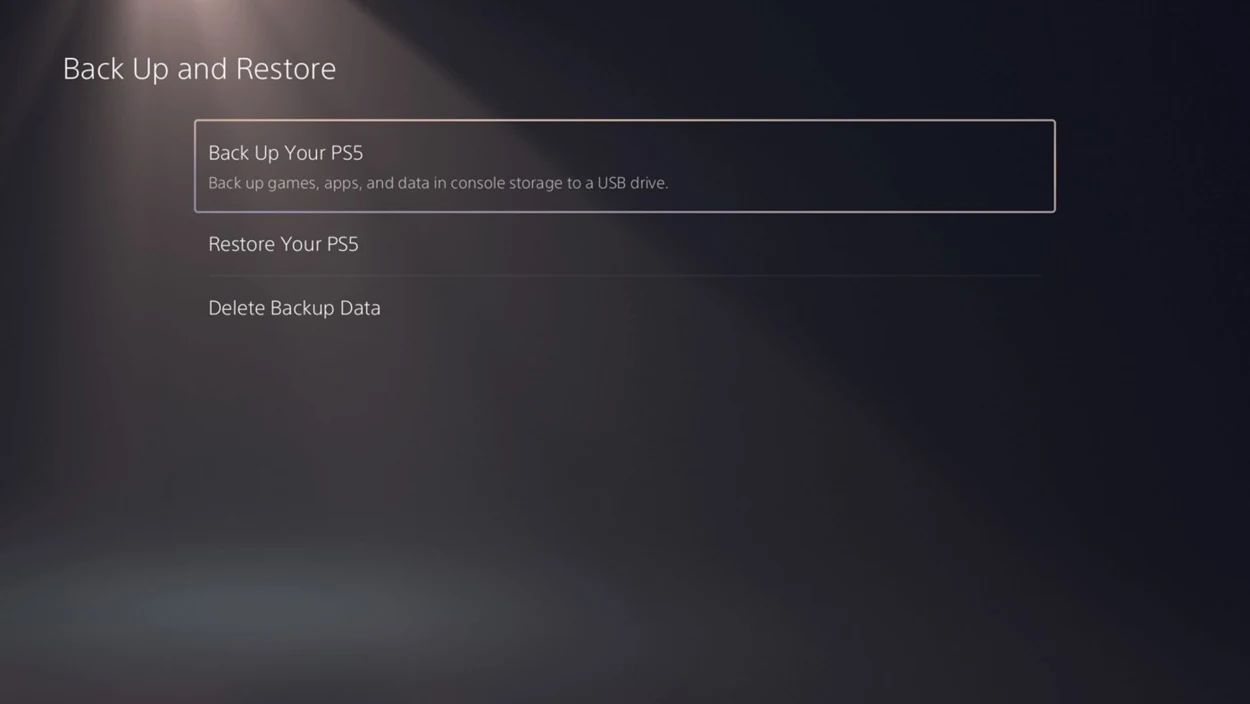
Moving the installed game to USB or an M.2 SSD moves game files. The PS5 keeps game saves separately. Without Plus, Sony offers a whole-console backup to a FAT32 or exFAT USB drive under Settings, System, System Software, then Back Up and Restore. Restoring a whole-console backup erases the data currently on the destination console.
Resolve an Xbox sync prompt
If the original Xbox is taking a long time to sync, leave it connected and give it time to upload. Choosing the option to use older cloud data can discard the last session. When Xbox asks which copy to use, identify the console where you finished your most recent session first.
| Xbox choice | Result |
|---|---|
| This console | Uses the local save and replaces the cloud copy. |
| Xbox network or cloud data | Uses the online save and replaces the local copy. |
| Try again after a network error | Attempts to connect and finish syncing. |
Transfer a save to another PS5 or Xbox
For a PS5 to PS5 Pro move, use the same PlayStation account on both consoles and check the cloud copy before loading the game. To move from Series S to Series X, use the same Xbox profile and let the first console finish uploading before you launch on the second.
For PS5 to Xbox or Xbox to PS5, there is no documented GTA VI story-save import. Each console family has its own cloud storage. The migration tools for GTA V and GTA Online apply to those games.